Shopify line item properties as attributes, and discount code lookups that match every code
Report on Shopify line item properties, such as the bundle a product belongs to. Orders with several discount codes now match your discount code lookups and can move to another channel. The Meta Ads Chrome Extension is faster and keeps your metric order, and saving no longer fails after an update.
Changed
- Before, if you map Shopify discount codes with a lookup (for example a Google Sheet that assigns codes to channels), an order with more than one discount code matched none of them, so its touchpoints could land in the wrong channel. Now each code is matched, and these orders move to the channel your lookup names, past orders included. What to do: nothing. From: 1 September 2026.
New
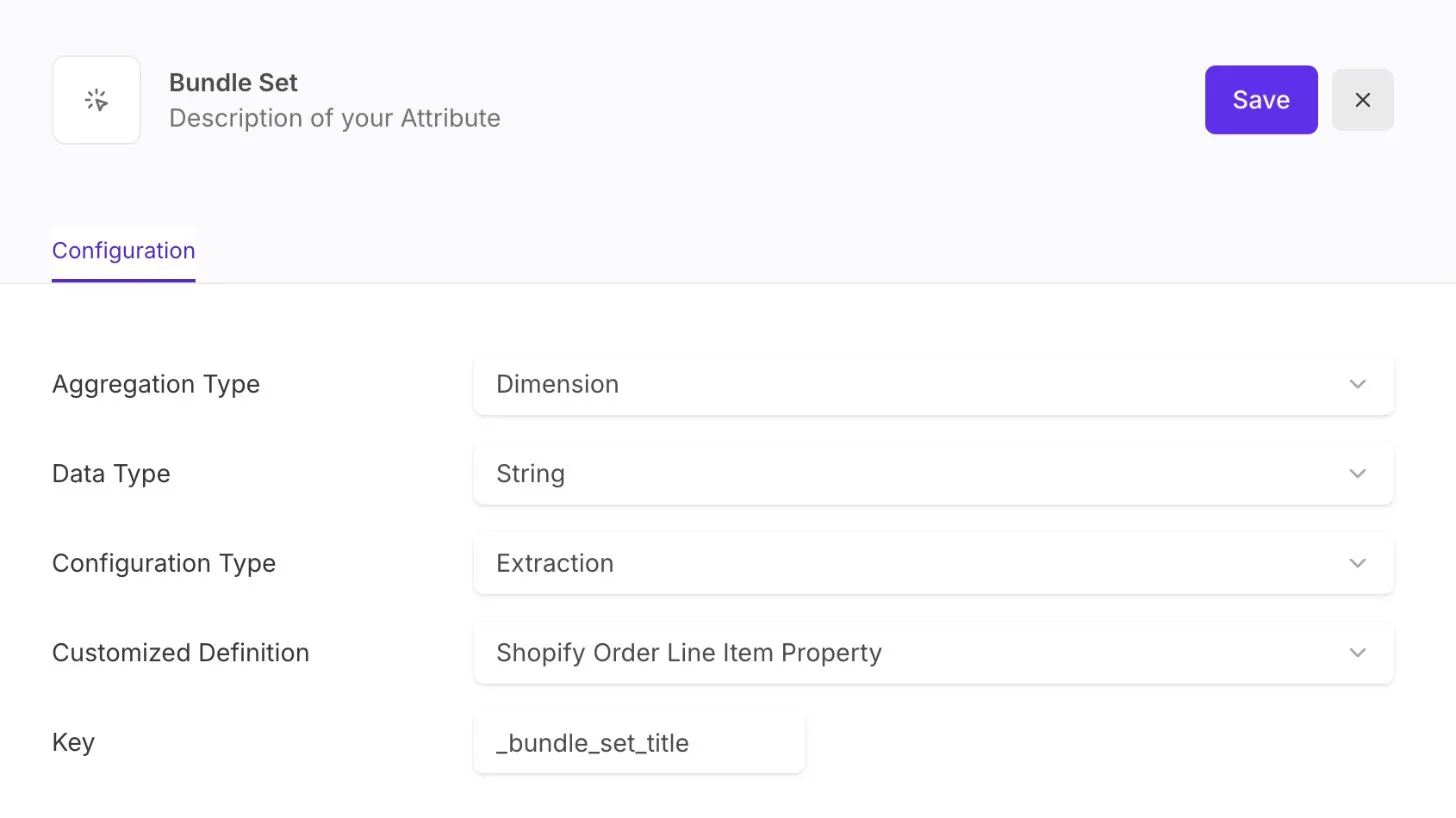
Shopify line item properties as attributes
Turn a property your shop writes on each order line item, such as the bundle a product belongs to, into an attribute. Create an extraction attribute with the customized definition Shopify Order Line Item Property and enter the property name. You get a dimension per line item, for example for bundle reports. More in Extraction attributes.
Improvements
- Meta Ads Chrome Extension: metrics in Ads Manager load faster and no longer load without end in large ad accounts. They update reliably when you scroll or change views, show two decimals, and each cell shows whether it is loading, not tracked or empty.
- Meta Ads Chrome Extension: metrics show in Ads Manager in the order you picked them in the action, and the action form keeps that order.
Fixes
- App: after sign-in, adtribute shows a loading screen instead of a blank page while it opens your organization, and a clear message if you have no organization or opening it fails.
- Shopify: products with more than 100 variants now bring in every variant, so price, cost, compare-at price and stock reach your reports for all of them.
- App: saving in a tab that was open during an update no longer fails without a message. If the page needs a reload, a message offers it.
- Definitions: if your attribution counts only touchpoints of the order’s own brand, orders whose journey had only touchpoints of other brands are no longer missing. They now show under “No matching Touchpoints found”.