
TikTok Ads
How to connect TikTok to adtribute.
Create Connection in adtribute
Section titled “Create Connection in adtribute”- Open the adtribute App.
- Go to Sources › Connections and click on “Create Connection”.
- Search for “TikTok Ads” and select it.
- Name the Connection as you like, e.g. the Account Name.
Before going through Connection Process you have to confirm that you have implemented the UTM Parameters that are shown.
Note: You can also implement them after the Connection Process and just click “I did that” for now, but make sure to do it at some point of the onboarding. You don’t need to save the Parameters as you can find them at any time when opening the Connection in adtribute (tab “Configuration”, step “UTM Settings”).
?adb_ad_source=tiktok&adb_ad_id=__CID__&adb_click_id=__CLICKID__&adb_adgroup_id=__AID__&adb_campaign_id=__CAMPAIGN_ID__Implement UTM Parameter
Section titled “Implement UTM Parameter”For TikTok Ads the UTM Parameter need to be implemented on Ad Level for every Ad. So, there are two types of Ads you need to have the Parameters implemented for: Future Ads and Currently Running Ads. In both cases you have to implement it within the Ad details:
-
Login to your TikTok Ad Account.
-
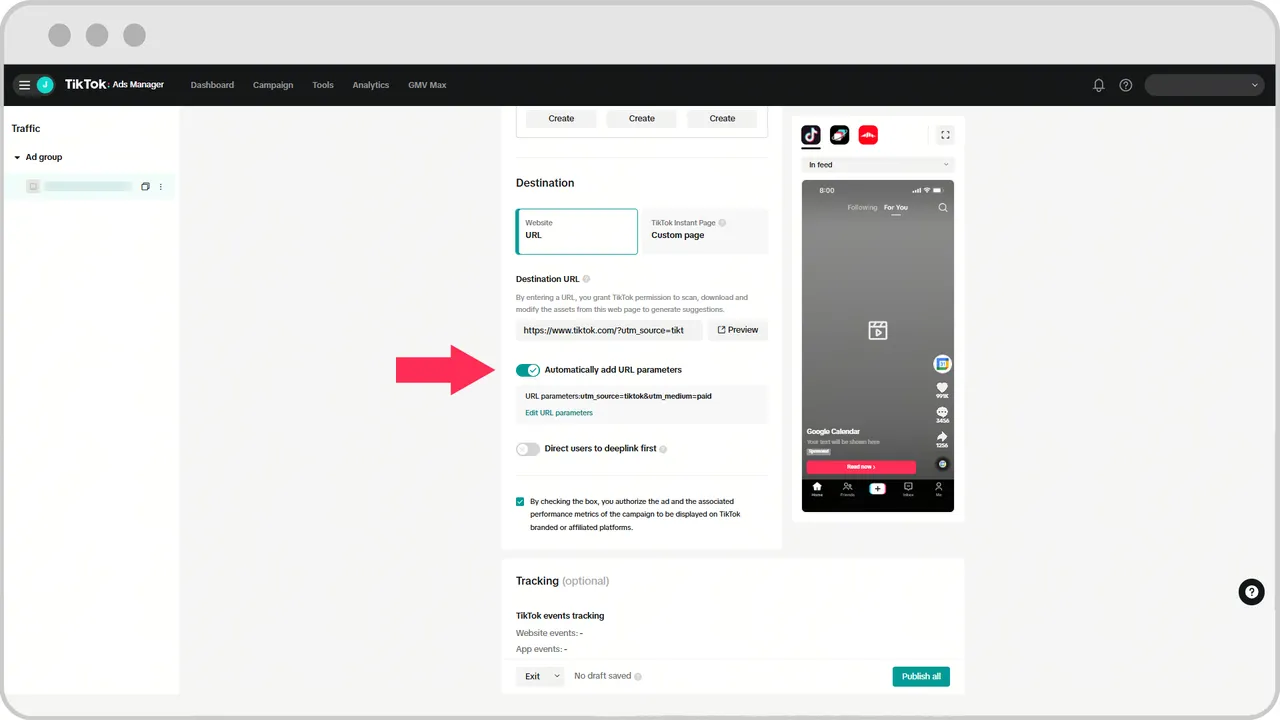
Navigate to “Ad details” and scroll down to “Destination”.
-
You can either fill out the whole link manually or use the “Automatically add URL parameters” function and edit the parameters accordingly.
-
Add the Parameters that are shown within the Connection in the adtribute App (copy by clicking the clipboard icon).
- Your link should look similar to this: https://adtribute.io?adb_ad_source=tiktok&adb_ad_id=__CID__&adb_click_id=__CLICKID__&adb_adgroup_id=__AID__&adb_campaign_id=__CAMPAIGN_ID__
- Important: If you have other parameters like UTMs then attach our parameters with ”&” instead of ”?”, so it would look like this: https://adtribute.io?utm_source=tiktok&XXXXXXXX&adb_ad_source=tiktok&adb_ad_id=__CID__&adb_click_id=__CLICKID__&adb_adgroup_id=__AID__&adb_campaign_id=__CAMPAIGN_ID__
For detailed info on URL parameter setup for TikTok, read this Docs Article from TikTok.
TikTok Ads Connection Flow
Section titled “TikTok Ads Connection Flow”To start the connection flow simply click “Connect”:
-
On the Fivetran page you first have to click “Authorize” so API access is granted.
-
Login to TikTok if you are not already (make sure it’s the right account) and click “Confirm”.
-
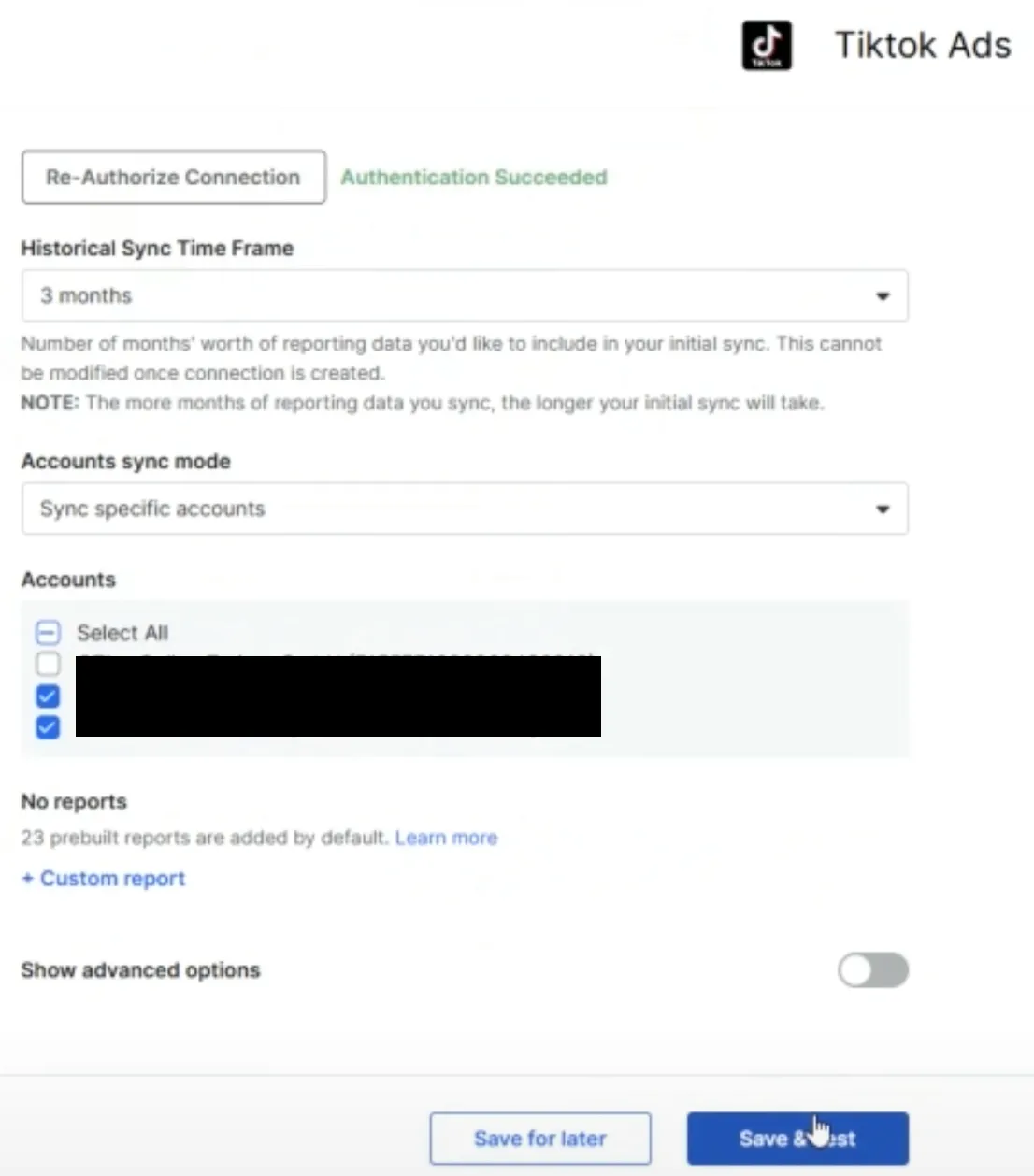
Keep the “Historical Sync Time Frame” as it is - adtribute presets it to all time.
-
Now select the relevant Ad accounts, keep the other settings and click “Save & Test”
-
It will validate for a short while and tell you if the Connection was successful.
Complete Connection
Section titled “Complete Connection”After the successful Connection Flow it will redirect you back to the adtribute app and you can find the TikTok Ads Connection within all of your Connections.