How can I filter data in the Definitions Layer?
Which pre-defined Liquid Filters are available to use for advanced data formatting and logic.
With liquid filters you can build metrics and dimensions in the Definitions Layer which you can then use in your Dashboards.
Common Questions
Section titled “Common Questions”- how can I filter my customers for new and returning customers? or even more granular: new, returning, loyal, superfan?
- how can I create a new sessions KPI?
Available Liquid Filters
Section titled “Available Liquid Filters”We support every generic liquidjs filter there is.
Generally speaking, the most useful filters are our custom liquid filters / window functions:
- Last Value:
adtribute_last_value_by_attribute: <partition attribute>, <order attribute> - First Value:
adtribute_first_value_by_attribute: <partition attribute>, <order attribute> - Sum:
adtribute_total_sum_by_attribute: <partition attribute> - Count:
adtribute_total_count_by_attribute: <partition attribute> - Count Distinct:
adtribute_total_unique_count_by_attribute: <partition attribute>
You can use those filters within the Definitions Layer to format data or create logic on top of certain data.
Use Case Examples
Section titled “Use Case Examples”1. Dashboard Filter: Create Dimension for Customer Segment based on Order Count
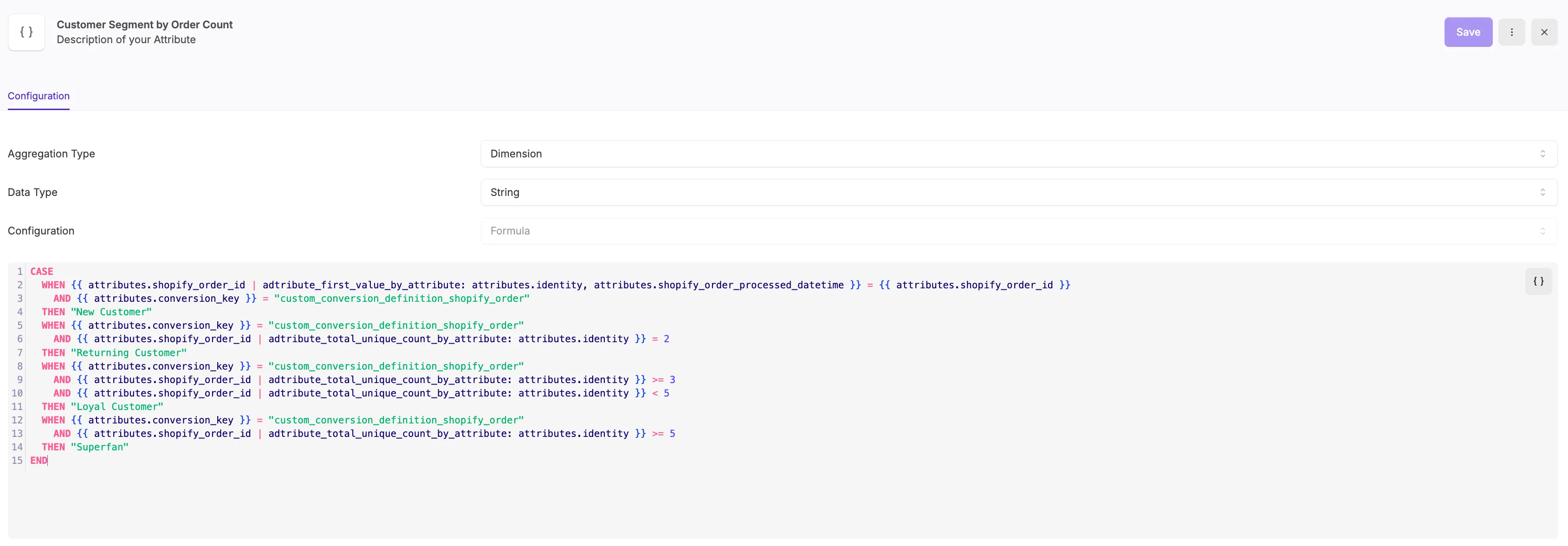
Section titled “1. Dashboard Filter: Create Dimension for Customer Segment based on Order Count”In this specific example we look to build a logic that differentiate between new and returning customers or in more detail:
- New Customer = 1 Order
- Returning Customer >=2 Orders
- Loyal Customer >=3 Orders
- Superfan >=5 Orders
You can build this logic under Definitions › Attributes (Add Attribute, Definition Type Event) with the Configuration Type set to “Formula”:
CASE WHEN {{ attributes.shopify_order_id | adtribute_first_value_by_attribute: attributes.identity, attributes.shopify_order_processed_datetime }} = {{ attributes.shopify_order_id }} AND {{ attributes.conversion_key }} = "custom_conversion_definition_shopify_order" THEN "New Customer" WHEN {{ attributes.conversion_key }} = "custom_conversion_definition_shopify_order" AND {{ attributes.shopify_order_id | adtribute_total_unique_count_by_attribute: attributes.identity }} = 2 THEN "Returning Customer" WHEN {{ attributes.conversion_key }} = "custom_conversion_definition_shopify_order" AND {{ attributes.shopify_order_id | adtribute_total_unique_count_by_attribute: attributes.identity }} >= 3 AND {{ attributes.shopify_order_id | adtribute_total_unique_count_by_attribute: attributes.identity }} < 5 THEN "Loyal Customer" WHEN {{ attributes.conversion_key }} = "custom_conversion_definition_shopify_order" AND {{ attributes.shopify_order_id | adtribute_total_unique_count_by_attribute: attributes.identity }} >= 5 THEN "Superfan"ENDIt would look like this in the App and you could use it as Filter within the Dashboards after saving.
2. Dashboard Metric: New Sessions KPI
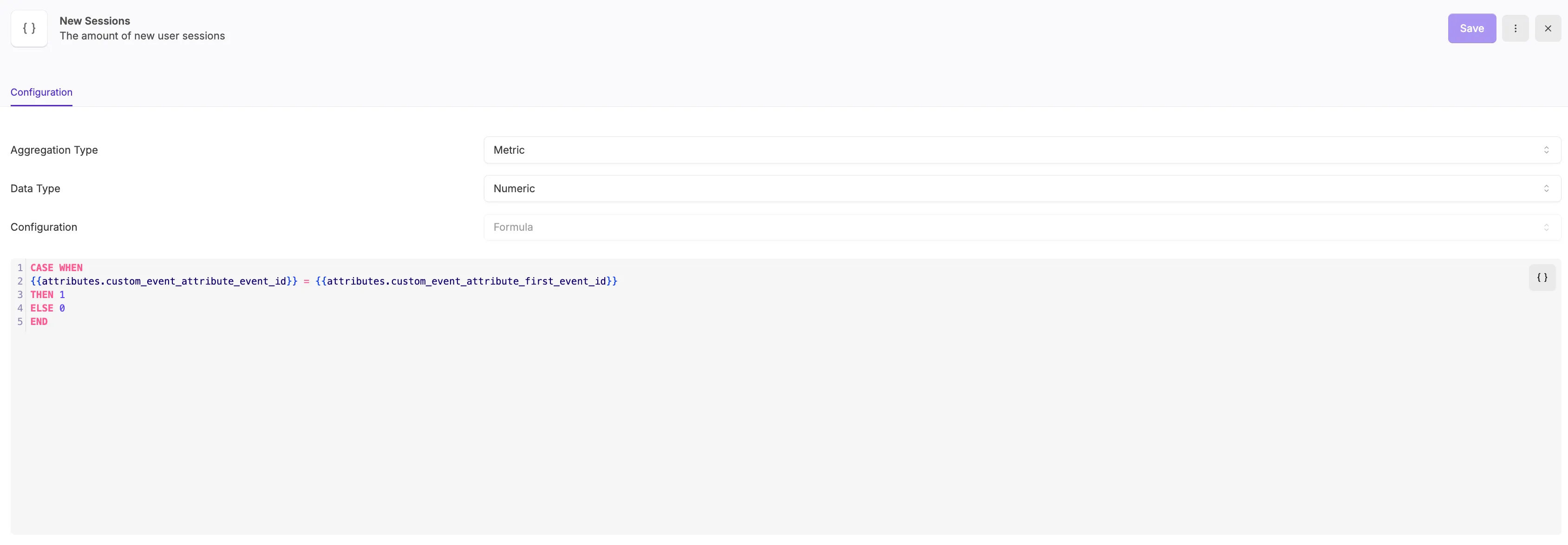
Section titled “2. Dashboard Metric: New Sessions KPI”You can create a New Sessions KPI under Definitions › Attributes (Add Attribute, Definition Type Touchpoint) with the Configuration Type set to “Formula”:
CASE WHEN {{attributes.id}} = {{attributes.id | adtribute_first_value_by_attribute: attributes.identity, attributes.event_datetime }}THEN 1ELSE 0ENDIt would look like this in the App and you could use it as a Metric within the Dashboards after saving.