Metrics and dimensions in adtribute
Which dimensions split which metrics, and how to add a missing one.
Three kinds of metrics
Section titled “Three kinds of metrics”| Metrics for | Such as | Come from | Split by |
|---|---|---|---|
| Channels | Spend, impressions, clicks | Your ad platforms, per ad | Channel, campaign, ad set, ad, ad account |
| Touchpoints | Sessions | Your website visits | The above, and visit dimensions such as landing page |
| Conversions | Orders, leads, revenue, margins | Your shop or CRM | The above, and order dimensions such as customer segment, product or shipping country |
Add a metric or dimension
Section titled “Add a metric or dimension”| You need | Add |
|---|---|
| A count of a new kind of order or lead | A conversion |
| A metric or dimension of a channel, touchpoint or conversion, such as a customer segment | An attribute |
| A metric calculated from other metrics, such as a ratio | A field |
You must be an Admin or Editor, or ask us in Slack or at support@adtribute.io to add it.
Add an attribute
Section titled “Add an attribute”| To | Configuration Type |
|---|---|
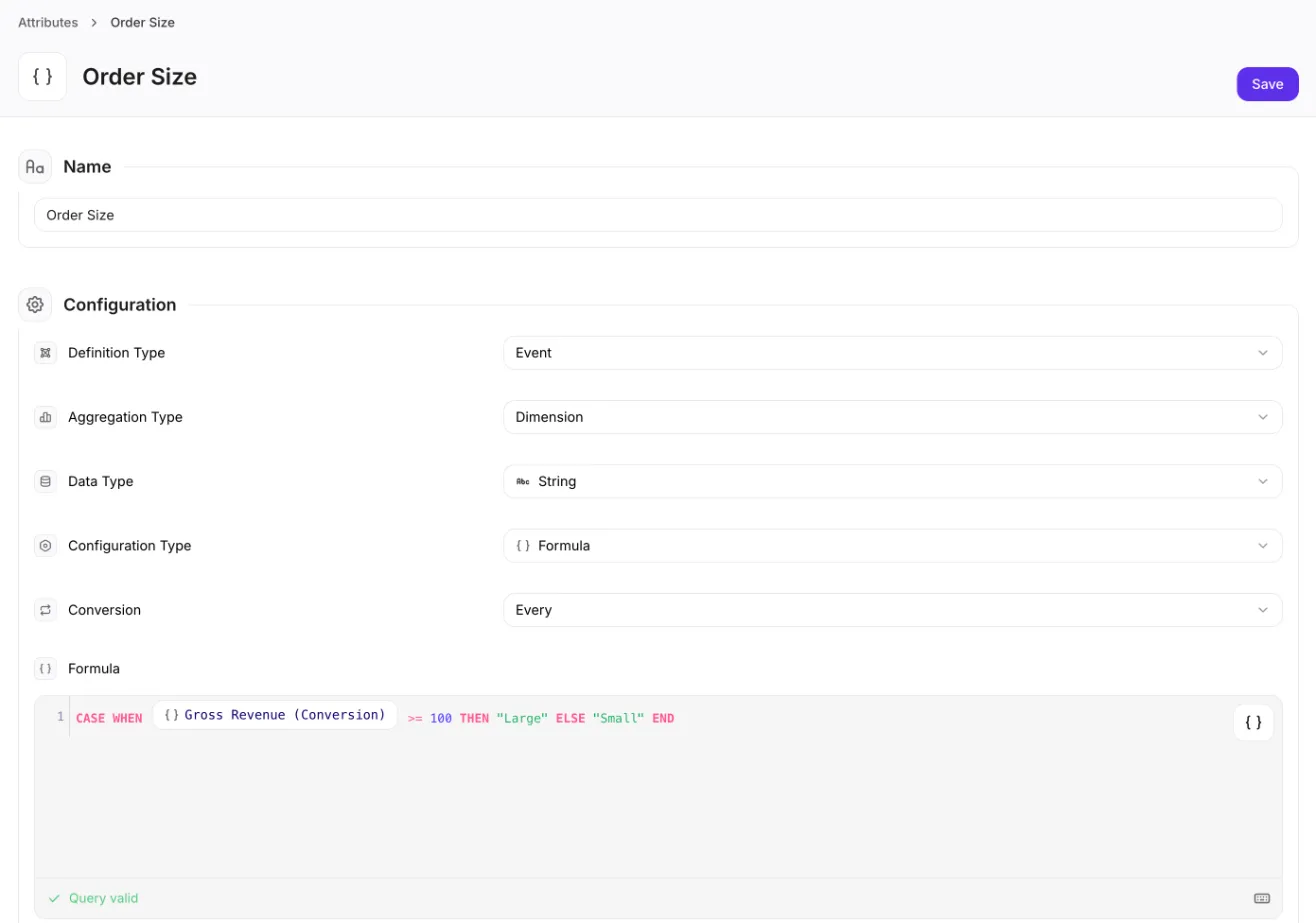
| Group, clean up, combine or calculate values of other attributes | Formula, with Liquid filters |
| Assign values from a Google Sheet | Google Sheets Lookup |
| Assign values from a BigQuery table | BigQuery Lookup |
| Use an attribute under a new name | Source |
| Read one value from a channel connection’s raw data | Extraction |
-
In Definitions › Attributes, click Add Attribute.
-
Enter a name and pick the Definition Type: Channel, Touchpoint, or Event for a conversion.
-
Pick the Aggregation Type (Metric or Dimension), the Data Type and the Configuration Type, then fill in the fields it shows.
-
Click Save.
It shows in reports the next morning, for all past dates.
Add a field
Section titled “Add a field”-
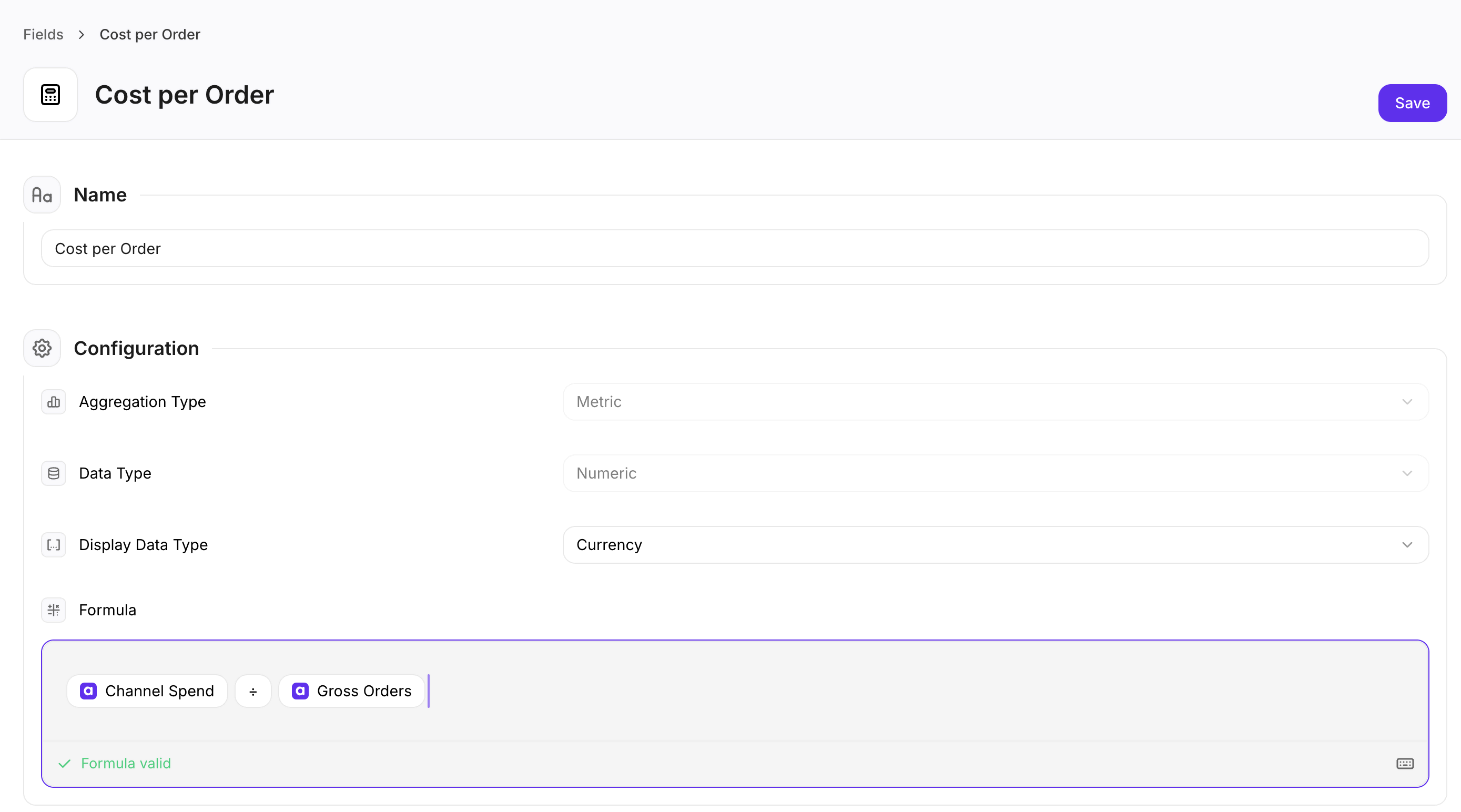
In Definitions › Fields, click Add Field.
-
Enter a name and pick the Display Data Type.
-
Under Formula, click the box and add each part: Field for a metric, Operator for +, −, ×, ÷ or a bracket, Constant for a number.
-
Click Save.
What does a metric include? See what your numbers count.
Why doesn’t a new value show in my attribute? Add it to the attribute’s formula, sheet or BigQuery table.